Apps / Kanban board
Plan in two tones.
A fast, focused kanban board. Sign in with Google to sync your boards, invite people to plan with you, and see who changed what.
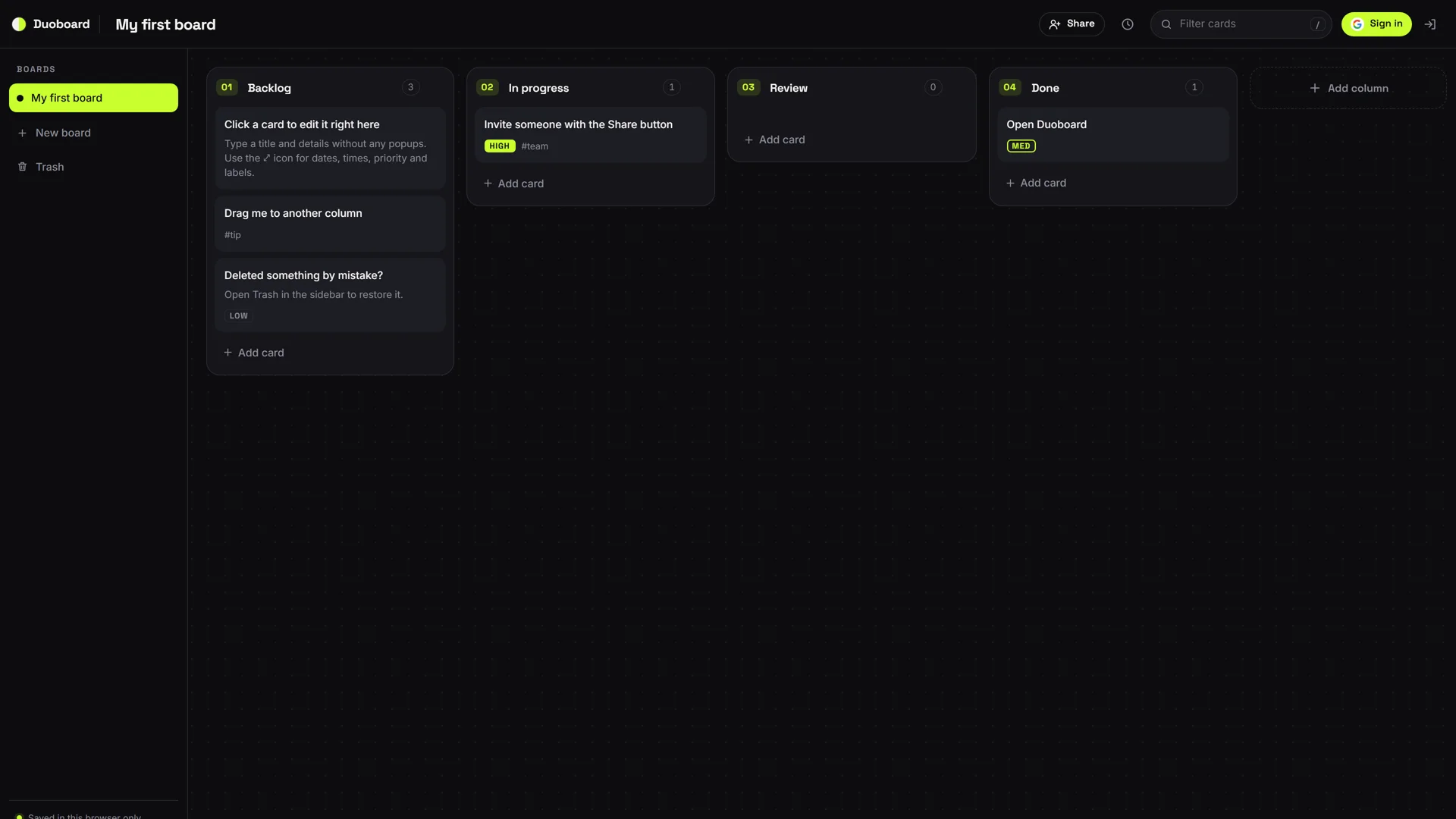
What it does
Duoboard
- 01
Three columns, no clutter
To do, Doing, Done. Drag cards across as work moves; the board stays readable at a glance.
- 02
Plan together
Share a board by invitation or copy the app link. Everyone on it sees the same cards, live.
- 03
History
Every board keeps a record of who changed what, so a shared plan never becomes a mystery.
- 04
Cards with detail
Priority (low, medium, high), due date and time, and comma-separated labels on every card.
- 05
Try it as a guest
No sign-in needed to try it. Sign in with Google when you want your boards to sync and be shareable.
- 06
Trash, not delete
Boards go to the Trash first, so a slip of the hand is recoverable. Leave a shared board at any time.
Under the hood
- Sign-in
- Google, or continue as a guest
- Sharing
- Invite by link; leave a board whenever you like
- Theme
- Light and dark, in the board’s two-tone palette
More apps
Fast, offline-first to-do list
Hi-Lo card counting trainer
CS2-accurate aim practice
Beta · 2026 federal and state tax prototype
Beta · Old phone, always-on security camera
Beta · Pickup games near you
Keeps Windows responsive under load
Pauses background apps while you play CS2
Beta · Budgets, subscriptions and cash-flow forecasts
Beta · Finds bills in your email, sends invoices
Beta · Edits PDFs on your device, no upload